Tilt meter + cool-downFreePro
Know when you’re tilting
Know when you’re tilting
before your account does.
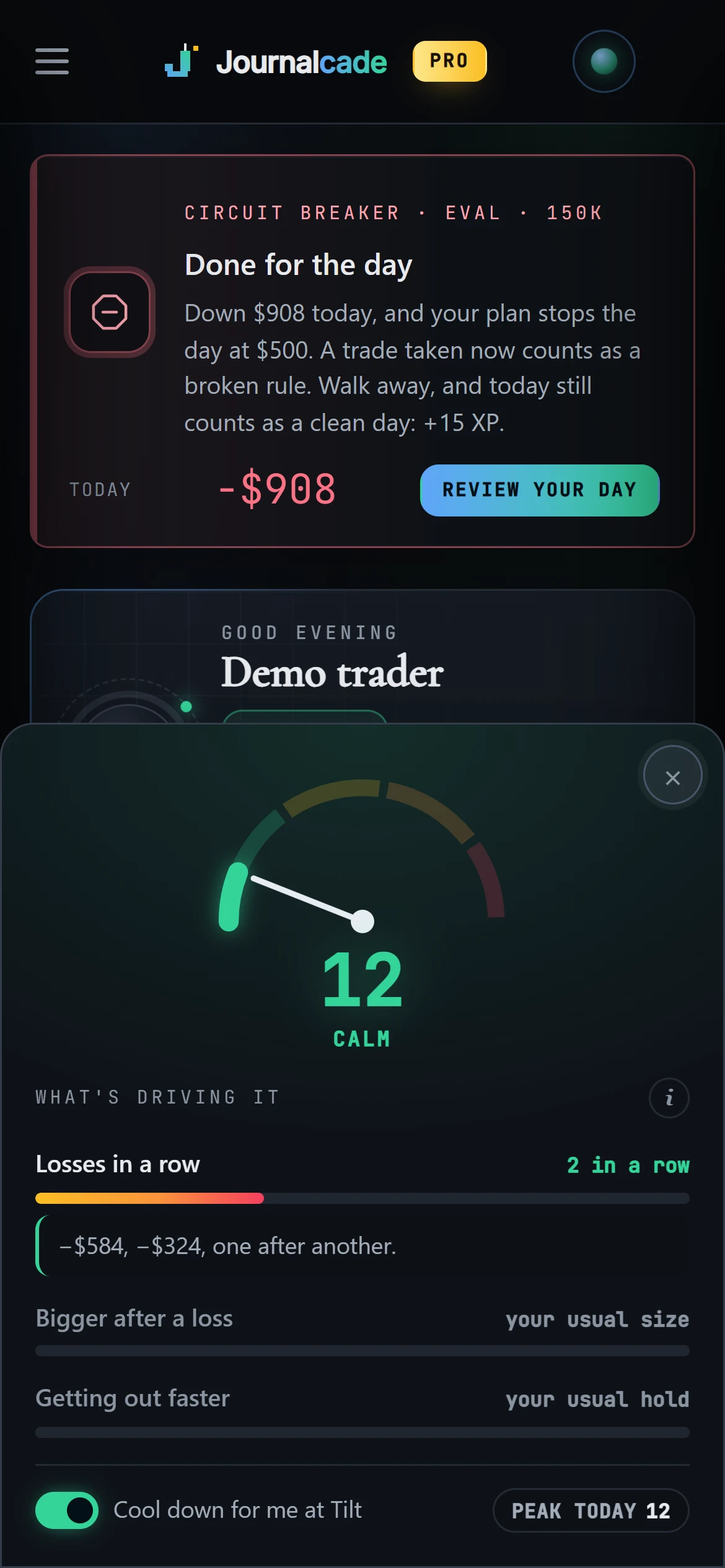
A small gauge reads today against your own normal: Calm, Warming up, Hot or Tilt. At Tilt it can start a cool-down and lock the journal until it ends.
STEP 1It reads your day
Pace, size after a loss, how you say you feel.
4 levelsSTEP 2It shows the signs
Tap the gauge to see what’s driving it.
the whySTEP 3It calls time
A cool-down at Tilt; the breaker at your limits.
cool-down
The tilt meter
Your day, against your own normal.
The gauge sits in the sidebar and on the capture pad. Your normal comes from your own last six weeks, so it reads you, not an average trader.
- The signs it reads: trades coming faster, size up after a loss, out faster, straight back in, losses in a row, how you say you feel
- Tap it to see the trades behind each sign
- Your call: the automatic cool-down can be turned off
The circuit breaker
Your limits, kept for you.
It watches your daily loss, loss streak and trade count against your own rules. Hit one and it calls the day and starts a cool-down. Walking away keeps the day clean.
- Clean days build a streak and earn XP
- Your rules, not ours: you set every limit
- The end-of-day review grades six parts of the day, composure included

Questions
Quick answers.
Does it stop me trading at my broker?+
No. Journalcade never touches your broker. The cool-down locks the journal and the circuit breaker calls the day in Journalcade; your platform stays yours.
How does it know my normal?+
From your own trades over the last six weeks.
Can I turn the cool-down off?+
Yes. The gauge stays; the automatic cool-down at Tilt is yours to switch off.
Is it on the Free plan?+
Yes, the tilt meter and the circuit breaker are on every plan.
More in Journalcade
Keep exploring.
Your career starts now
Your Rookie card is waiting.
Free to start. Journal your first trade today and watch the numbers fill in.