Journal + auto-syncFreePro
Journal every trade
Journal every trade
in under a minute.
Import your broker’s file, or let Interactive Brokers, Coinbase and Kraken sync on their own. You add the why; Journalcade adds it all up.
STEP 1Bring trades in
Sync, import your broker’s file, or add a trade by hand.
3 waysSTEP 2Fill what’s left
The drawer shows what’s missing: setup, stop, grade, note.
+XPSTEP 3Check the setup
Your checklist grades the trade at entry.
A · B · C
The trade drawer
Every trade, one drawer.
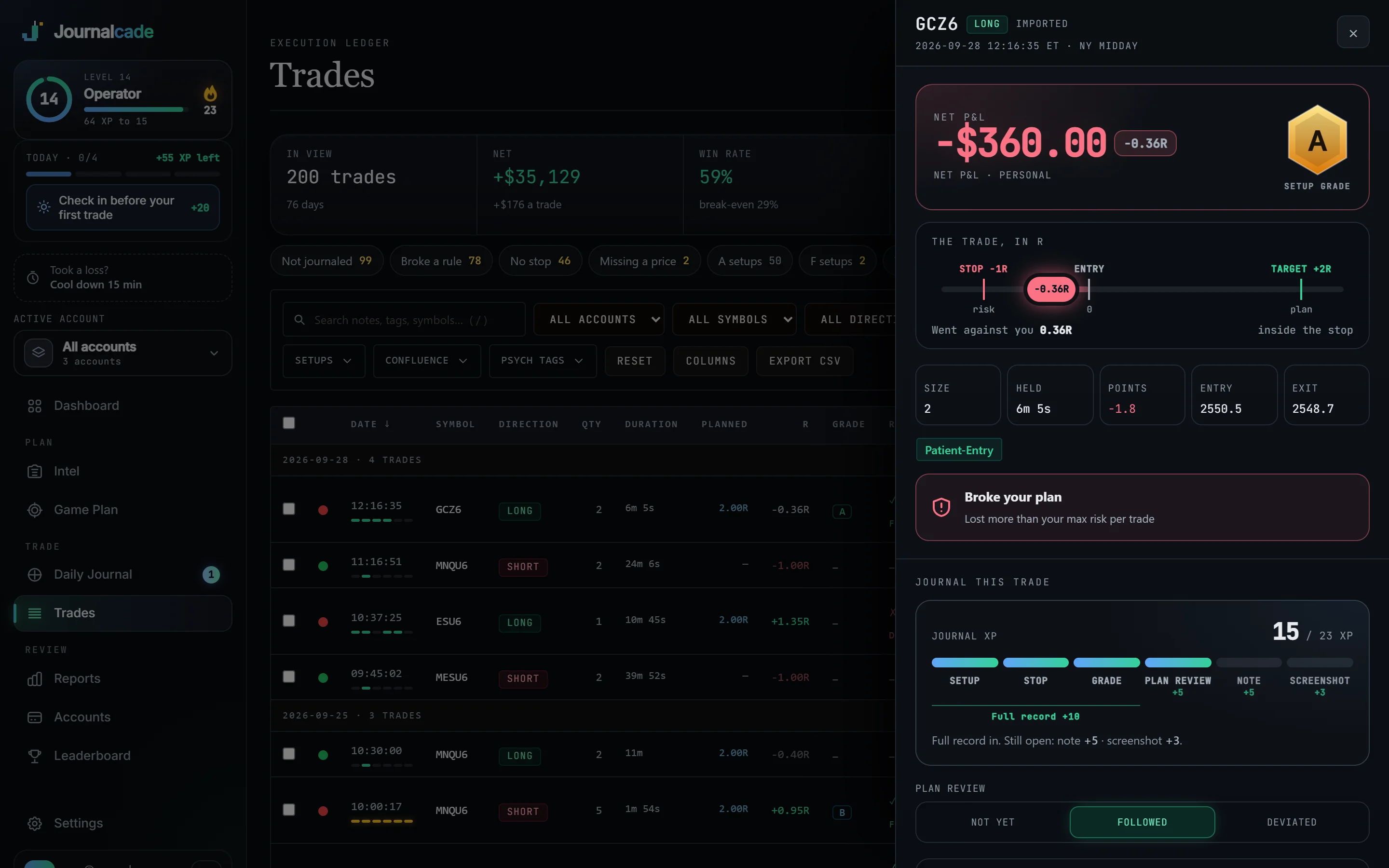
Open a trade and the drawer shows what’s left to record and the XP it’s worth: setup, stop, grade, plan review, note and screenshot.
- A checklist per setup marks each rule followed or broken and grades the trade A, B or C at entry
- Fills merge into positions, so a scale-in is one decision
- Tags and feelings filter your trades by setup and state of mind
Auto-sync Pro
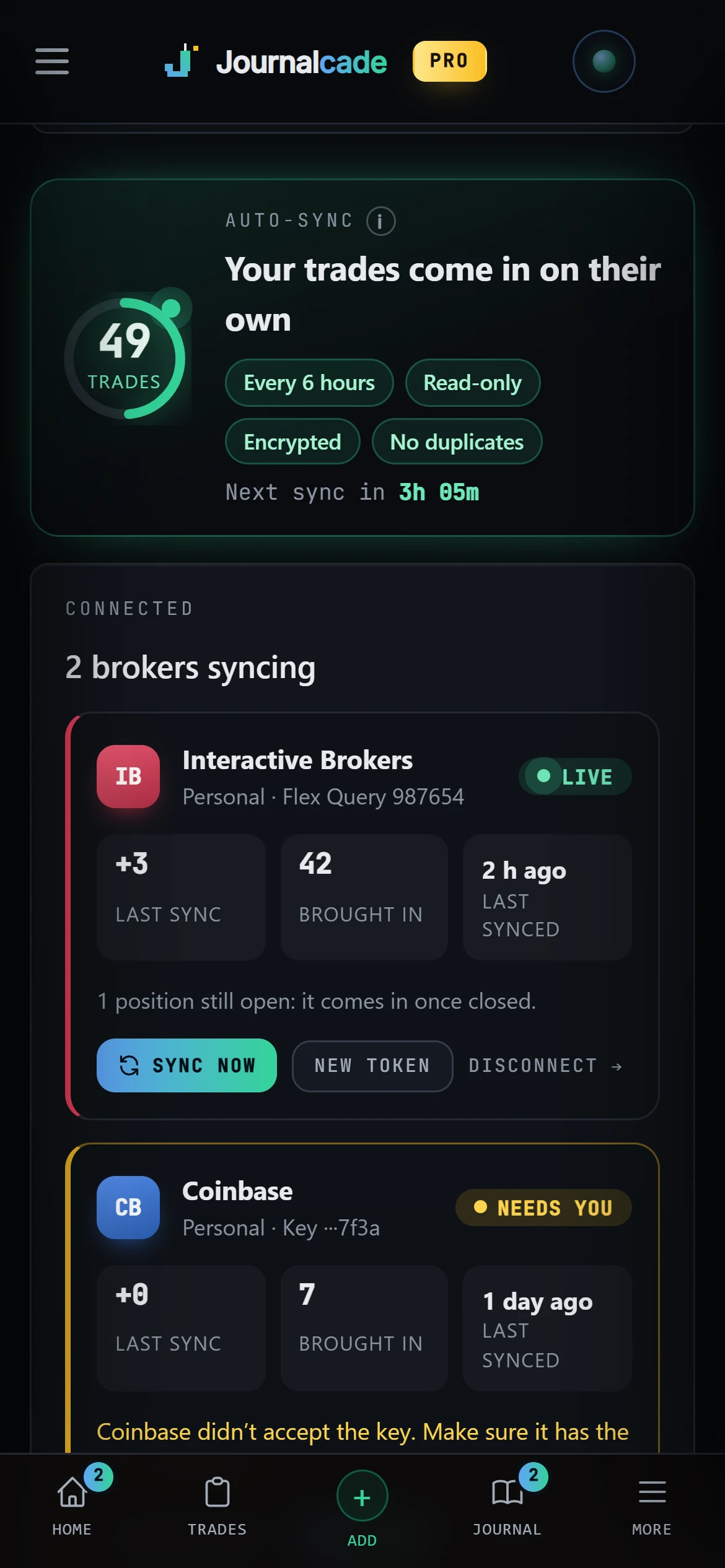
Connect once. Trades come in by themselves.
Interactive Brokers with a read-only Flex token, Coinbase with a View-only key, Kraken with a key that can only query. Every 6 hours, or when you press Sync now.
- Never added twice: a trade already in your journal is matched, not copied
- Keys that can’t trade or move money, encrypted, and deleted when you disconnect
- Every other platform comes in from its export file: thinkorswim, Webull, MetaTrader, Tradovate, NinjaTrader and more
Questions
Quick answers.
Which brokers sync on their own?+
Interactive Brokers, Coinbase and Kraken, on Pro. Every other platform comes in from its export file. See every platform.
Can I add trades by hand?+
Yes, on every plan. Imports and sync are there to save typing, not to replace you.
What if I import the same file twice?+
Trades you’ve already imported are skipped, so nothing is counted twice.
Does it work for my market?+
Futures, stocks, options, forex and crypto. Each account picks what it trades, and the maths and fees follow it.
Is auto-sync on the Free plan?+
No, auto-sync is Pro. Importing a file and adding trades by hand are free.
More in Journalcade
Keep exploring.
Your career starts now
Your Rookie card is waiting.
Free to start. Journal your first trade today and watch the numbers fill in.