Voice write-upsFreePro
Talk through the trade.
Talk through the trade.
It writes it up.
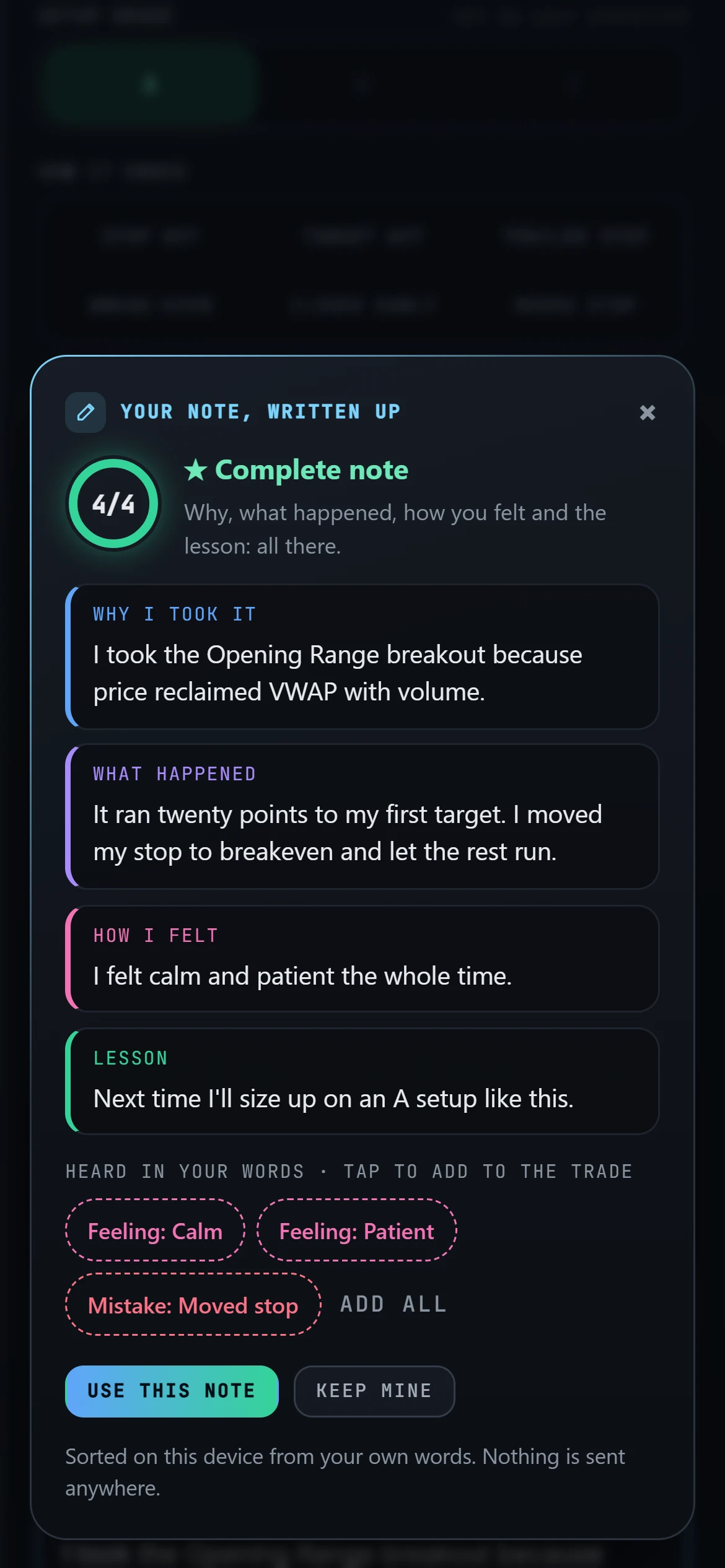
Speak into any note and tap Write it up: why you took it, what happened, how you felt and the lesson, every line in your own words.
STEP 1Talk
A mic on every text box.
any boxSTEP 2Write it up
Sorted into why, what happened, feelings and the lesson.
4 partsSTEP 3Tap the tags
Feelings, setups and mistakes it heard, in your tag names.
tags
Write it up
Your words, sorted.
Talk through a trade into its notes, then tap Write it up. It suggests the feelings, setups and mistakes it heard, in your own tag names, and you tap to add them.
- Every line in your own words
- On a computer with Pro, the voice model runs on your own computer and your voice never leaves it
- Fix a misheard word once and it’s written your way from then on
Questions
Quick answers.
Is it on the Free plan?+
Yes. Write it up works on every plan. On a computer, Pro adds the best voice model, which runs on your own computer.
Where does my voice go?+
On a computer with Pro, nowhere: the model runs on your machine. Phones, other browsers and the Free plan use your browser’s own speech recognition.
Does it make things up?+
No. Every line of the write-up is in your own words.
Can I use templates instead?+
Yes. Pro has templates for a trade, a lesson, the day and the morning plan, plus your own.
More in Journalcade
Keep exploring.
Your career starts now
Your Rookie card is waiting.
Free to start. Journal your first trade today and watch the numbers fill in.